

Hello,
Thanks for all your mods guys !
Just a question : are the E464 and MDVC coaches available on TPF 2 ?
Hi! No, they are not. If you want to use them, you need to download the TF1 version and use the Converter to use them on TF2


Wir begrüßen euch in der Fan-Community zu den Spielen Transport Fever und Train Fever, den Wirtschaftssimulatoren von Urban Games. Die Community steht euch kostenlos zur Verfügung damit ihr euch über das Spiel austauschen und informieren könnt. Wir pflegen hier einen freundlichen und sachlichen Umgang untereinander und unser Team steht euch in allen Fragen gerne beiseite.
Die Registrierung und Nutzung ist selbstverständlich kostenlos.
Wir wünschen euch viel Spaß und hoffen auf rege Beteiligung.
Das Team der Transport-Fever Community
Hello,
Thanks for all your mods guys !
Just a question : are the E464 and MDVC coaches available on TPF 2 ?
Hi! No, they are not. If you want to use them, you need to download the TF1 version and use the Converter to use them on TF2
Hello guys! First problems on my italian map! In this video, a E656 Caimano (by RaptorArk) recovers a damaged Frecciarossa 1000 on Adriatic Line:
And that's not all! Just a little update from the new ETR pack:

What is the exact error message?
I've sent you the entire folder of the model to let you see directly the error  I can't solve this, I can't understand how these mods work XD
Between line 40 and line 41 a }, is missing.
This way, it doesn't work. It tells me that textures for Frecciarossa 1000 are missing (i have used the mdl file from Frecciarossa 1000 as base)... I'm trying to solve too and I can't 

Did You export the .mdl via the Blender plugin or did You build the .mdl Yourself from scratch?
Those files are highly sensitive against misplaced curled brackets and other signs. The report You show in Your post is unfortunately among the less helpful: if it claims to miss a } to close the { in line 2, this can unfortunately refer to almost the entire file and on top of this even indicate a missing or excessive comma.
I´d strongly suggest exporting the model again, to another directory so You don´t overwrite all your meshes and textures, in order to obtain a fresh .mdl and start again from there.
I have written the mdl file starting from another one because Blender didn't export correctly my textures and I needed to fix that manually. If you want, take a look to the mdl:
Hello, I have a problem importing my ALn668 mod. Finally I thought that I was ready to load it on model editor, I've done all I needed and I have created all the folders and subfolders of the model. The problem is that when I press on the name of my mod from model editor to open it, it shows this error message:
I understand that something is wrong on the ALn668.mdl file, the main file that allows you to use a mod. I have tried to add "}", to add "{", I have tried to remove a bracket, I've tried to change their position but I can't understand what the hell is wrong. Can you help me, please? I'm sure that it's a stupid problem but I can't try and eventually publish the mod because of that now xD
What? You are crazy fast, but still high-quality! Looking forward to your next projects.
I changed the order of my projects a bit, so I will start with Vivalto/MDVC/MDVE/E464 in June, with a release in July.
Good job man!
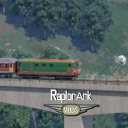
Next project. This unit is nearly completed, will keep working the rest of the family
Externer Inhalt youtu.beInhalte von externen Seiten werden ohne Ihre Zustimmung nicht automatisch geladen und angezeigt.Durch die Aktivierung der externen Inhalte erklären Sie sich damit einverstanden, dass personenbezogene Daten an Drittplattformen übermittelt werden. Mehr Informationen dazu haben wir in unserer Datenschutzerklärung zur Verfügung gestellt.
Very good my friend Add the XMPR livery, please xD
DenesBerky, your E402A became a E401
That is because you're born in the age of social medias, eyebrows shaped like seagull wings and free ankles pants
I don't have these problems Let's go back to the topic
Everyone has different preferences, for example I prefer Frecciabianca livery instead of the Eurostar City Italia one, i prefer DTR instead of XMPR, xD
xmpr is for little babies
Ok, that's enough for me for today xD
The real thing is that lots of players play in the modern era and it's not realistic to see a ETR400 next to a 1970s livery xD
Then, think about the italian trains actually avaiable for TF2: they are all trains from the modern era (Italo, Frecciarossa and Frecciarossa 1000 - obviously not considering your passion for old trains on DMA forum).
Correctly, the XMPR livery is not good too now because Trenitalia started to remove it in 2017, so if you prefer we can add the DTR livery, ahah! Anyway, if you want I can try to make a repaint
RaptorArk what about making XMPR livery for E656?
Good morning. In DMA forum, we've just publicated a set of Italian E656 locomotives + E636 284 (an unique locomotive). Go there to download, if you want!
Cheers
Nice!
I think you need to name the textures. But AFAIK this is not even necessary, the model should have exported correctly. Hope that's what you meant. Just have a look inside the export-folder, maybe the model is there nevertheless.
The process creates a folder anyway but I don't know if it works because I have not tried...
Alles anzeigenThere is a certain method how to define materials and textures within the addon.
If you open Your model in the older Blender and click on the marked tab in the right hand column,...
you can define a material in the second marked field (in the example, it is named Tu-154B.
Then, further down in the same tab, there are more options.
The arrow points to the field that allows you to select the material You want to use for the respective part. Depending on Your selection there, the menu right below it (map_normal etc.) will show the maps/texture files required by the material. Then, select each map and assign it a texture file in the lowest marked field.
You can and in fact probably will need to adjust your selection lateron within the exported files; this is rather easy and quickly done in any text editor. But for now, this is about getting the model out of Blender, and here, this will do the trick.
I have tried to follow this method but I can't because under my Train Fever Material section I have only this:
If I write something there and I press "Enter" it doesn't anything. I don't know how to proceed because I can't understand the error. Today I haven't worked on the model only because I can't go beyond this problem, I don't know what's this.
This is the error when I try to export:
Hi guys, I can't complete my ALn688 because I have a problem. I have downloaded the Train Fever addon for Blender and it works. I have added the triangulation modifer to the model, I have applied the Edge Split and everything it needs. When I go to export the mesh with the TF addon, the process fails and Blender tells me that "The material has not color textures". I don't know why I have this problem because my model has textures as you can see from previous pictures. My textures have been applied but do I need to confirm something? I don't know, like modifers for example? I don't have a "apply" button for textures, I don't know... I'm working on two versions of Blender: I have made the model on 2.82 and I'm exporting it from 2.79 version because the addon doesn't work on 2.82. When I open the 2.79 version, my materials are completely white and the program tells me that there are not color textures on the materials. How can I solve this?
Good job InfinityRibbon I can't wait to see my ALn668 crashing on your buffers, ahahah 
I have totally completed the 3D, in fact now I have made the interior wall and you can't see the texture from inside anymore. This is the model now:
Now it's time to try to import this on TF2
I've wrote in private, in the name of the vergine maria. Go go
Ahahahahahahahahahahahahahahahahaha 🤣
I think you will bestemm a lot at this time
I have bestemmiated yet but I think that if I learn this i can make lots of models in future! Can someone help me, please?
In the screenshot, you can see how the file paths have to be:
Don't wonder, I have two different hard drives, so that's why there's in importFbxPath a "C:..." and in userDataPath a "D:..."
Consider that to view the vehicle in the ModelEditor you have to put the file in the \Steam\userdata\...\1066780\local\staging_area folder
Hi, thank you! I have solved that problem and I have imported my FBX file of the train in the model editor. Now I have another problem: when I open my model, the loading fails and I can't see the train on Model editor because it closes immediately. This is the command prompt when I import the vehicle:
What's this Assertion Size error? I have tried to open another model and it works. I have only copied the base mod.lua file of the example in my Aln668 folder, can this be the problem?
 Deutsch

