
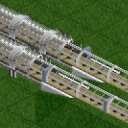
was daran liegt, dass KarlCharlson offenbar meine Mod
KarlCharlson hat auch viele teile von meiner Mod Autobahnkreuz ohne meine Erlaubnis kopiert und in Steam Workshop hochgeladen.


Wir begrüßen euch in der Fan-Community zu den Spielen Transport Fever und Train Fever, den Wirtschaftssimulatoren von Urban Games. Die Community steht euch kostenlos zur Verfügung damit ihr euch über das Spiel austauschen und informieren könnt. Wir pflegen hier einen freundlichen und sachlichen Umgang untereinander und unser Team steht euch in allen Fragen gerne beiseite.
Die Registrierung und Nutzung ist selbstverständlich kostenlos.
Wir wünschen euch viel Spaß und hoffen auf rege Beteiligung.
Das Team der Transport-Fever Community
was daran liegt, dass KarlCharlson offenbar meine Mod
KarlCharlson hat auch viele teile von meiner Mod Autobahnkreuz ohne meine Erlaubnis kopiert und in Steam Workshop hochgeladen.
No there are only my mods loaded in a new free game + (UG sandbox mod)
I'm testing my mods in a game and now I have seen that yearFrom and yearTo doesn't work as I think they should. The mod is already enabled in year 1880.
I can't see that my code differs from the example in the WIKI.
            local tempA = api.type.ConstructionTemplate.new()
                tempA.availability = api.type.MetadataMap.Availability.new()
                    tempA.availability.yearFrom = 1890
                    tempA.availability.yearTo = 1929
                    tempA.desc.name = streetConA.description.name
                    tempA.desc.description = streetConA.description.description
            local streetDynA = api.type.DynamicConstructionTemplate.new()
link to the example in WIKI: Reference (transportfever2.com)
VacuumTube and eis_os
Thank you for the update

So I wrote a new build system with dynamic slotdata and connectors, so you can attach new modules to existing modules at connector points.
Is it possible for you to send this example or can i download it somewhere?
I would need more code to find the problem.
I will first create the UI icons and do some new tests.
So make sure, you are using unique keys.
I have changed each key name in both mod and .script files, but the game is using the wrong script file.
Please keep in mind, that both mods works when loading them separately.
Here is my description on how I can repeat the problem:
The first mod is now named with a big A at the end, the second mod has names with C at the end of each key name.
What I can see is that the game should open the file creek_bridge_streetA.script but it opens creek_bridge_streetC.script in the other loaded mod folder.
Is this a bug in the game and how can I do a work around?
Here are the two mods in the file explorer:
here is a snippet from the mod.lua in the eraA mod:
            local street_fileA = "creek_bridge_streetA"
..
..
..
            tempA.data = streetDynA
            streetConA.constructionTemplates[1] = tempA

            streetConA.categories = { "misc" }
            streetConA.order = 100
            streetConA.skipCollision = true

            streetConA.updateScript.fileName = "construction/"..street_fileA..".updateFn"
            streetConA.updateScript.params = {
                paramPathA = setparPath,
                paramIconsA = setparIcons,
                streetwidthA = setparstreetwidth,
                Abn_PathA = AbnPath,
                HasPipeA = haspipeMod,
}a snippet from the mod.lua in the eraC directory
            local street_fileC = "creek_bridge_streetC"
..
..
..
            tempC.data = streetDynC
            streetConC.constructionTemplates[1] = tempC

            streetConC.categories = { "misc" }
            streetConC.order = 101
            streetConC.skipCollision = true
--            streetConC.autoRemovable = false

            streetConC.updateScript.fileName = "construction/"..street_fileC..".updateFn"
            streetConC.updateScript.params = {
                paramPathC = setparPath,
                paramIconsC = setparIcons,
                streetwidthC = setparstreetwidth,
                Abn_PathC = AbnPath,
                HasPipeC = haspipeMod,
}there is a bug regarding modparams
That I didn't know, Thank you it makes sense to what I have seen.
About Static/Dynamic, actually I'm trying to find why the setting menu isn't showing up on the right side when I select "configure" on the dynamic construction after it has been built. I wish to make a change, but the menu does not appear as it is doing for a standard mod like my Autobahnkreuz.
I have for the moment created two mods with DynamicConstruction and when enabling both, one of them doesn't work as the ParamsfromLua will only be read from the last activated mod. Though it works fine if I just enable it as stand alone.
1)
Is there a limit that the game can only handle one mod with dynamicConstruction?
2)
Regarding my question above. I have found inside the TpF2.exe file these modules, but I cant find any documentation about StaticConstruction. Experimenting isn't making any progress.
After i have studied the example in WIKI https://transportfever2.com/wi…uction_postRunFn.lua.html, I found that there is probably an undocumented function called api.type.StaticConstructionTemplate. The example uses Dynamic, but how to configure it as Static? Is there anyone of you that know something to explain how to set it up for Static?
I can tell that when I only change the name into Static I get an error as the api.type.StaticConstructionTemplate.new() returns a NIL value
Reading the WIKI Tunnel config doesn't say anything about dimension, it says the lua file "specifies a set of parameters to define the properties, dimension, features, ...."
It's just a copy paste from WIKI TpF1
Where can I find the names for tunnel height, tunnel width ...?
I get a little upset that the shadows on this material are getting too dark. I have tried to get them bright by testing the model editor, but do not succeed with this. Is there anything I can do?
The Material created for this object is
function data()
return {
    params = {
        alpha_test = {
            alphaThreshold = 0.5,
            cutout = true,
        },
        fade_out_range = {
            fadeOutEndDist = 20000,
            fadeOutStartDist = 10000,
        },
        map_albedo_opacity = {
            compressionAllowed = true,
            fileName = "models/station/gravel road.dds",
            magFilter = "LINEAR",
            minFilter = "LINEAR_MIPMAP_LINEAR",
            mipmapAlphaScale = 0,
            type = "TWOD",
            wrapS = "REPEAT",
            wrapT = "REPEAT",
        },
        map_metal_gloss_ao = {
            compressionAllowed = true,
            fileName = "models/station/pipe/road_metal_gloss.dds",
            magFilter = "LINEAR",
            minFilter = "LINEAR_MIPMAP_LINEAR",
            mipmapAlphaScale = 0,
            type = "TWOD",
            wrapS = "REPEAT",
            wrapT = "REPEAT",
        },
        map_normal = {
            compressionAllowed = true,
            fileName = "models/station/road_normal.dds",
            magFilter = "LINEAR",
            minFilter = "LINEAR_MIPMAP_LINEAR",
            mipmapAlphaScale = 0,
            redGreen = true,
            type = "TWOD",
            wrapS = "REPEAT",
            wrapT = "REPEAT",
        },
        polygon_offset = {
            factor = -2,
            units = -2,
        },
        two_sided = {
            twoSided = false,
        },
    },
    type = "PHYS_TRANSPARENT_NRML_MAP",
}
endI have already deleted all files permanently in the crash dump folder and restored the mod lua and script file to the version that is working. I'm following the example in the WIKI and there the lines are written. I guess that they have to be there. https://transportfever2.com/wi…ction_postRunFn.lua.html#
why do you include them anyway?
I would be glad to ignore them, but I can't. if I remove them from the mod.lua I get this error
Thank you!
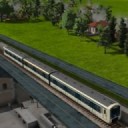
missing a lot of commas
Interesting and UG may have forgotten to make this error information more informative. Other errors are very good they point on the row where to look, but here.... nothing.
Placing the commas after the end and this error is gone.
I have read the description three times and still I don't understand or get it working.
If you have no module you will have `return {}` and the parameter have no impact.
from the .script file
 function data()
    return {
    preProcessFn = function(params, paramsFromModLua)
        return { }
    end
    upgradeFn = function(params, paramsFromModLua)
        return { }
    end
    createTemplateFn = function(params, paramsFromModLua)
        return { }
    end
    updateFn = function(params, paramsFromModLua)
 -- get Params from mod.lua

        local result         = { }
        result.groundFaces   = { }
        result.models        = { }
        local terrainFaces   = { }
        local groundFace     = { }
        .
        . My construction code is here
        .
        return result
    end

    }
endI have placed the return {} in the xxxFn functions in the .script file, but still I get the message "An error just occured"
here are the lines after the normal startup info in stdout.txt
adding archive res/models/models.zip
ModelRep: 6316.05 ms
No resources are missing!
texture load error: file not found: res/textures/.tga
MinidumpCallback: dumpPath "I:/Steam/userdata/70790454/1066780/local/crash_dump/", minidumpId "ab5993b4-e9b5-477d-a110-9da05005243f", succeeded 1
local time is Tue Sep 29 17:31:13 2020

An error just occurred.There has to be more info in the stdout
No there is no more information than the normal lines at loading the game. Here is the full stdout.txt if you don't believe me.
Thanks' for enlighten me.
What not makes sence to me is. In the lines above they create an asset object.
in my case it was the opposite, the second part didn't make any sense to me as I changed the definition in the first part to STREET_STATION and deleted my "mod".con in the construction folder.
The first part is creating a complete con file in the repository. What I'm guessing is, if you want to omit the first part and instead have your own .con file in the construction folder, you could use the second paragraph. Unfortunately, it is not clear in the example and that is the comment I was looking for. I have tested to use only the second part (by reintroducing my .con file in the construction folder), but it also creates errors.
I like to use the first part where the con is dynamically created, but I'm trying to find how to interpret following two lines:
Should the file name "myCon" include ".con" or not?
I have seen in other examples that "cons" is normally the name of myCon without ".con". Here it is only confusing me in following points.
I'm getting the error mentioned above.
ZitatAn error just occurred.
When removing the script functions, I get the first mentioned error above.
Actually I'm not in the need of createTemplateFn in the script file for my mod to work, but if the game needs it, I don't know. I have tested to remove the lines including the functions in the mod.lua, and then I get following error.
            con.updateScript.fileName = "construction/"..myCon_file..".updateFn"
            con.updateScript.params = {
                paramPath = par1Path,
                param1 = par1Icons,
                streetwidth = par1streetwidth,
                Abn_Path = AbnPath,
--                autobahn_mod = hasAutobahnMod,
            }
--            con.preProcessScript.fileName = "construction/"..myCon_file..".preProcessFn"
--            con.preProcessScript.params = {
--                paramPath = par1Path,
--                param1 = par1Icons,
--                streetwidth = par1streetwidth,
--                Abn_Path = AbnPath,
--                autobahn_mod = hasAutobahnMod,
--            }
--            con.upgradeScript.fileName = "construction/"..myCon_file..".upgradeFn"
--            con.upgradeScript.params = {
--                paramPath = par1Path,
--                param1 = par1Icons,
--                streetwidth = par1streetwidth,
--                Abn_Path = AbnPath,
--                autobahn_mod = hasAutobahnMod,
--            }
--            con.createTemplateScript.fileName = "construction/"..myCon_file..".createTemplateFn"
--            con.createTemplateScript.params = {
--                paramPath = par1Path,
--                param1 = par1Icons,
--                streetwidth = par1streetwidth,
--                Abn_Path = AbnPath,
--                autobahn_mod = hasAutobahnMod,
--            }

            api.res.constructionRep.add(myCon_file..".con", con, true)
        local hasCbridge = api.res.constructionRep.find(myCon_file..".con") >= 0
print ("hasBridge =",hasCbridge,myCon_file)At the end of mod.lua I have placed a debugprint "hasBridge...." and this line isn't executed as the error above happens at the missing format.
Letting the comments away and activate the functions in the scriptfile doesn't help. A new error, very informative ...:
...:
here is what I have written in the script file:
 function data()
    return {
--    preProcessFn = function(params, paramsFromModLua)
--    end
--    upgradeFn = function(params, paramsFromModLua)
--    end
--    createTemplateFn = function(params, paramsFromModLua)
--    end
    updateFn = function(params, paramsFromModLua)

--  My construction code is here....

endstdout.txt
adding archive res/models/models.zip
ModelRep: 6387.35 ms
hasBridge =    true    creek_bridge_street
No resources are missing!
texture load error: file not found: res/textures/.tga
MinidumpCallback: dumpPath "I:/Steam/userdata/70790454/1066780/local/crash_dump/", minidumpId "4c92bced-9c21-422a-9f9f-c74c92b464c2", succeeded 1
local time is Sun Sep 27 17:32:03 2020

An error just occurred.I'm interested to understand the last part of the example in the WIKI https://transportfever2.com/wi…ction_postRunFn.lua.html#
Here is the part:
I have so far found that this is overwriting the first params created above this section. Why make an example so complicated for "newbies" and no comments in the code?
Anyway, I have in my tests run without this part and got it to start, but I get an error when trying to build the construction. "No mod"
in the construction directory there is only the .script file, but no con file (the name of the con is same as the script file) as it is built dynamically in the mod.lua:
The settings are updated and that can be seen when selecting the construction in the game. I get the feeling that the script file isn't started and I can't find my fault.
(The script file worked earlier before I rewrote the mod.lua to make the dynamic construction.)
transportfever.net/wsc/attachment/159633/
stdout.txt
Exception type: Lua exception

This error is usually caused by modding. Some game resources contain incorrect data.

Details:

Error message: error: attempt to call a nil value
stack traceback:
    =[C](-1): ?


File name: res/construction/creek_bridge_street

Key: game/res/script/construction/creek_bridge_street/createTemplateFn

Minidump: I:/Steam/userdata/70790454/1066780/local/crash_dump/55a0df86-df6e-4163-b47f-593d45c7c3e3.dmp

Mod: no mod

In file: c:\build\tpf2_steam\src\lib\lua\state.cpp:586

In function: void __cdecl lua::State::Call(int,int)


Exception type: Lua exception

This error is usually caused by modding. Some game resources contain incorrect data.

Details:

Error message: error: attempt to call a nil value
stack traceback:
    =[C](-1): ?


File name: res/construction/creek_bridge_street

Key: game/res/script/construction/creek_bridge_street/createTemplateFn

Minidump: I:/Steam/userdata/70790454/1066780/local/crash_dump/c5a343eb-f341-46f9-a16a-dde4c23fac19.dmp

Mod: no mod

In file: c:\build\tpf2_steam\src\lib\lua\state.cpp:586

In function: void __cdecl lua::State::Call(int,int)snippet from the mod.lua
            local con = api.type.ConstructionDesc.new()
                con.fileName = "creek_bridge_street.con"
                con.type = api.type.enum.ConstructionType.STREET_STATION
                con.description.name = _("Small street bridge")
                con.description.description = _("small bridge").
.
.
.
            local myCon = string.gsub(con.fileName, '.con', '')
            con.updateScript.fileName = "construction/"..myCon..".updateFn"
            con.updateScript.params = {
--                param1 = "param1",
                autobahn_mod = hasAutobahnMod,
            }
            con.preProcessScript.fileName = "construction/"..myCon..".preProcessFn"
            con.preProcessScript.params = {
--                param1 = "param1",
                autobahn_mod = hasAutobahnMod,
            }
            con.upgradeScript.fileName = "construction/"..myCon..".upgradeFn"
            con.upgradeScript.params = {
--                param1 = "param1",
                autobahn_mod = hasAutobahnMod,
            }
            con.createTemplateScript.fileName = "construction/"..myCon..".createTemplateFn"
            con.createTemplateScript.params = {
    --            param1 = "param1",
                autobahn_mod = hasAutobahnMod,
            }

api.res.constructionRep.add(myCon, con, true)I'm testing to make a new type of narrow bridge. The track is narrower than standard and I have with success got it to snap when building the second track along the first as long as it is built on the ground.
The issue is to get the second bridge to snap to the first. Pillars and railing are not snapping. They are build as two separate bridges though the second track is snapping to the first. I have spent a lot of hours to find a solution, but this will not work for me. Is there a common trick that I have to have in my mind when trying?
Some will probably send me a comment on the strange height and curve setting for the track. I can understand that, so instead of getting focused on that I write, I know it is a bit strange...
the t.shapeWidth + t.shapeStep = 1.25m and that is the distance I have between centers of the tracks. I have built the pillar and railing to the same width, but it doesn't matter what width I build as it will not snap.
In the WIKI there are documented some parameters that I have also played with, but no success (pillarWidth, railingWidth). WIKI also contains information about t.trackDistance that warns of having distances other than 5m, but it doesn't say that there is a risk of problems when building bridges. The ballast and catenary gantry are working in my mod.
Zitat von WIKI Tracks /Street
track.lua snippet
    t.yearFrom = 1925
    t.yearTo = 0

    t.shapeWidth = 1.25/2
    t.shapeStep = 1.25/2
    t.shapeSleeperStep = 16.0

    t.ballastHeight = .0
    t.ballastCutOff = .0

    t.sleeperBase = t.ballastHeight
    t.sleeperLength = 0.1
    t.sleeperWidth = 0.0
    t.sleeperHeight = 0.7
    t.sleeperCutOff = .04

    t.railTrackWidth = 0.0
    t.railBase = 0.7
    t.railHeight = 0.3
    t.railWidth = 0.0
    t.railCutOff = .02

    t.embankmentSlopeLow = 0.75
    t.embankmentSlopeHigh = 2.5

    t.catenaryBase = -0.5
    t.catenaryHeight = 0.0
    t.catenaryPoleDistance = 10.0
    t.catenaryMaxPoleDistanceFactor = 1.2
    t.catenaryMinPoleDistanceFactor = 1.0

    t.trackDistance = 1.25

    t.speedLimit = 360 / 3.6
    t.speedCoeffs = { 4, 15.0, 1 }

    t.minCurveRadius = 8
    t.minCurveRadiusBuild = 8.5

    t.maxSlopeBuild = 1
    t.maxSlope = t.maxSlopeBuild * 1.6
    t.maxSlopeShape = t.maxSlope * 1.25

t.slopeBuildSteps = 2bridge.lua snippet
(themes is my param transfered from mod.lua to con)
I have downloaded the motras project to have a framed package of an example to follow as I have some difficulties to understand and find the stylelist:get or themes elsewhere. I'm not successful in this way as the motras project doesn't look like the example above. I have also tried to follow the thread in the UG example of track module, but that is even harder. I have the wish to see a complete example from mod-lua, .script and .con file
My question: is the snap of an example above something from the motras project?
 Deutsch

