Beiträge von Dunkel
Willkommen in der Transport Fever Community
Wir begrüßen euch in der Fan-Community zu den Spielen Transport Fever und Train Fever, den Wirtschaftssimulatoren von Urban Games. Die Community steht euch kostenlos zur Verfügung damit ihr euch über das Spiel austauschen und informieren könnt. Wir pflegen hier einen freundlichen und sachlichen Umgang untereinander und unser Team steht euch in allen Fragen gerne beiseite.
Die Registrierung und Nutzung ist selbstverständlich kostenlos.
Wir wünschen euch viel Spaß und hoffen auf rege Beteiligung.
Das Team der Transport-Fever Community
-
-
Rico S. agree completely (Plan B: update with script is working well. Change only if the param is not defined in the *.mdl itself or is 0 ).
CoderunFn = function (settings) addModifier("loadModel", function (fileName, data) if data.metadata.roadVehicle and data.metadata.roadVehicle.blinkInterval == nil then data.metadata.roadVehicle.blinkInterval = 475 elseif data.metadata.roadVehicle and data.metadata.roadVehicle.blinkInterval and data.metadata.roadVehicle.blinkInterval == 0 then data.metadata.roadVehicle.blinkInterval = 475 end return data end) end -
A simple script-mod would do it (if someone can live with it that all roadvehicles are changed to a common value), like the ones that make vehicles available without an end year. I will give it a try but it should be done by someone who has better scripting skills then me.

-
Rico S. da gebe ich Dir absolut recht. Hat mich eh gewundert, dass das während der Beta sonst niemand gestört hat. Zumindest für europäische Verhältnisse ist es zu schnell (mag natürlich sein, dass es da in anderen Ländern auch andere Bestimmungen gibt).
-
Servus, ist bei mir nicht so (weder bei Savegames die ich mit der Beta gespeichert habe noch welche von davor). Prüf doch mal wo das Spiel den Mod erwartet und/oder installiere den Mod mal neu. Wenn Du mit dem Mauszeiger über den Mod-Namen gehst siehst Du den erwarteten Pfad/Ordnernamen (Bei mir steht !ASSET_ContainerPack_1, d.h. ! sagt es muss in meinem User-Mod-Ordner stehen und der Ordner muss "ASSET_ContainerPack_1" heissen).
-
Es gibt u.a. bei LKWs/Bussen jetzt den Parameter blinkInterval (in der *.mdl). Laut Wiki wird (falls nicht vom Mod gesetzt) 200 ms verwendet (bei Trams 333 ms). LINK: TPF2-Wiki / blinkinterval
-
versuche ich das jetzt auch mal mit dem Neuaufsetzen
Bei Steam reicht i.d.R. schon ein Filecheck (Steam-Client/Transportfever 2/Eigentschaften/Lokale Dateien/Spieldateien auf Fehler prüfen).
-
If you select the default properties in the model editor it is set to 200 ms (not sure if the game itself uses the same but it would make sense). I mentioned that the frequency is much higher than before but it was said UG hasn't changed anything and noone else complainded while the beta tests. Good you noticed it too...so it's not me getting crazy.

-
Servus, prüf doch bitte mal ob du die aktuelle Version von diesem Mod verwendest (es gab da kürzlich ein Upd): LINK: Kanal/ Kanal mit seitlicher Einbahnstraße
-

Hope you like my settings menu.
The feedback (asset selection menu in the 90s car mod) is maybe comming a litte bit late but... It took me some time to get used to it but now I really love it. Especially when you want to place a lot of cars in a row it is very helpfull and easy to customize. A very clever solution!
-
Genauso wie es bei Dir aussieht + das was EISFEUER geschrieben hat ist bei mir hinterlegt. Falls es jetzt immer noch nicht klappt wäre die Fehlermeldung hilfreich.
-
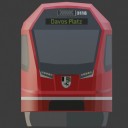
Meine Frage an Euch, wer möchte mir dabei helfen oder auch den "Antrieb" (in einer ganz einfachen Form) erstellen.
Weiß nicht ob Du schon eine helfende Hand gefunden hast aber so schwierig ist das mit dem "Antrieb" gar nicht. Bis jetzt habe ich nur Bilder aus Blender gesehen (sieht übrigens super aus und wenn das Dein erster Mod ist...Hut ab!). Hast Du Dir den Model-Editor eigentlich schon eingerichtet bzw. angeschaut? Ohne den hat das TPF2-Modden was von "Blinde-Kuh spielen", deswegen würde ich das als erstes machen wenn Du Dein Modell ins Spiel bringen willst. Im Prinzip kann man sich da die ganzen Parameter (also auch den Antrieb) usw. über die Oberfläche zusammenklicken (+ ggf. für die Parameterausprägungen an anderen, vergleichbaren Mods orientieren) .
Infos zum Model-Editor gibt es hier (und wie man den FBX-Import einrichtet ist ja im Modding-Guide verlinkt):
-

Flugzeuge und Busse (Keine Mod-Fahrzeuge) bei mir keinerlei Rauch haben.
UG scheint den Rauch nicht bei allen Fahrzeugen hinzugefügt zu haben. Bei der Vanilla "Junkers Ju 52" oder beim "MAN SL 192" gibt es aber definitiv Rauch. Eventuell musst Du aber Fahrzeuge die Du schon vor dem Sommer-Release hattest ersetzen bzw. neu kaufen, damit Du den Rauch bekommst (das Spiel scheint sonst noch mit der "alten" Modell-Definition zu arbeiten. Zumindest war das bei mir in den Tests so).
-
Brilliant, you should get an oscar for that video!

Regarding the industry part of the MOD, we seek your opinions:
I would prefere option one.
-
Kommst Du überhaupt ins Hauptmenü oder geht das auch nicht?
- Falls Du rein kommst: stell doch mal die Grafik-API auf OpenGL (statt Vulkan).
- Falls Du gar nicht erst reinkommst: sichere mal Deine settings.lua und probiere es mit der in diesem Thread verlinkten settings.lua aus (LINK: Standard settings.lua mit OpenGL). Die settings.lua findest Du im Benutzerverzeichnis. Kenne mich mit GOG nicht aus, es müsste wohl hier sein %appdata%\Transport Fever 2\ (ansonsten mal hier nachlesen: LINK: Speicherorte).
-
Wow, this will be an extensive mod with so many clever solutions. That must have been an enormouos amount of work. Thank you for your effort.

Btw.: I am collecting good reasons to allow me to buy a bigger monitor. Your settings menu is on the list now.

-
Hi, we will need more information to have a look at it. Can you please upload the stdout.txt file (directly after the crash). Where you find the stdout.txt is dependend on your game version and operating system. With Windows and the Steam-Version you will find it normally here: c:\Programme (x86)\Steam\userdata\<steam userid>\1066780\local\ (for other constellations you will find the locations descriped here (the relevant path is the "Benutzerverzeichnis" = "User Folder"): LINK: Wiki - Locations).
-
As I am curious and want to learn new things I played around with the lables a little bit and also looked on other mods using labels. For me it looks like it will never be as good as a painted text and most labels are much bigger (then it looks much better and they often use white and not black as colour). But I realized you can get a much better font-quality if you trick around with scaling. I scaled down the text and then gave him a much bigger size so in the end the text is as big as the text with 100% (see picture, it is the same labletext with the lower one uses the down-scaling settings)...but I only tried it in the editor and don't ask me about side effects. Not sure if this helps you with the partly missing text (but I guess that is the normal problem of the game with faces that are very close to each other.).
-
Wow, nice idea!
Why are you using "alpha = 4" (never seen this and the wiki says values >1 can produce artifacts), have you tried it with "alpha = 1" and it's the same effect?
-
Yes, with purchasable vehicles the end year is excluded as far as I know. Thanks for the AI-car explanation, that's a good solution/effect by UG I think.